
What can you change about your location on your iPhone?
Your iPhone location is really several separate settings, and each one has its own fix. Your digital location, meaning your IP address, device region and Apple Account region, is separate from your GPS location, so changing one does not change the others.
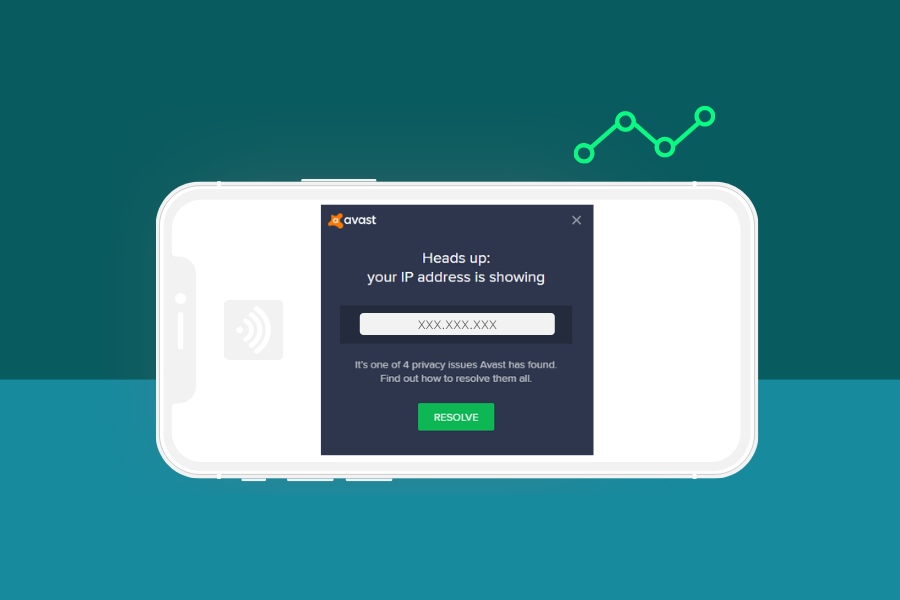
- IP address: Websites and streaming apps read your IP-based location. A VPN changes it by giving you a virtual location in another country.
- Apple Account region: This sets which country’s store you use for apps and media. You change it in Settings.
- Device region: This sets the regional formats your iPhone uses. You change it under General in Settings.
- GPS location: Apps can read your iPhone’s GPS position directly. A VPN does not spoof GPS data or set a fake location, so apps that use GPS may still show your actual location.
This guide does not cover location spoofing tools, including third-party GPS spoofing apps such as iAnyGo, or anything that needs jailbreaking, and every method below works on iPhones without jailbreak tools. If you want location-based content from another country, see our streaming guides.
How to change location on iPhone with a VPN
A VPN works as a location changer for websites and apps that check your IP address, and it is the quickest way to change your location on iOS devices. It sends your traffic through a VPN server in another country, so sites see that server’s address instead of yours and place you in a different location.
- Sign up with a VPN that has an app for iOS devices. NordVPN and Surfshark both do.
- Install the app on your iPhone.
- Log in and connect to a server location in the country you want. In the NordVPN app, you pick a country from the map or the list on the main screen.
- Check your new IP address on a site such as whatismyipaddress.com, and compare it with the address shown on a computer using your regular connection.
NordVPN is the provider we recommend first for this. Surfshark is a solid second choice. It covers 100 countries and offers a 7-day free trial on iOS, plus a 30-day money-back guarantee. You start the trial from the App Store, and if you buy there, Apple handles the refund.
A VPN has limits. A VPN alone does not change iPhone account settings, so your Apple Account region stays the same, and a VPN IP address does not guarantee access to a streaming platform, because platforms can still block it. Free VPNs tend to have limited server locations, throttling and weak encryption, and they often fail with streaming services. A DNS proxy is another option, but it does not change your IP address or encrypt your traffic, which makes it a poor fit for privacy. For more on staying private online, browse our cybersecurity guides.
How to change location on iPhone for your Apple Account
Purchases and downloads follow the country or region of your Apple Account, so you change your Apple Account store settings instead of using a VPN. Apple’s current steps are:
- Open Settings and tap your name.
- Tap Media & Purchases and sign in if prompted.
- Tap Country/Region.
- Select the new country or region and tap Continue.
- Review the Terms & Conditions and tap Agree.
- Select a payment method, enter the new payment information and billing address, then tap Done.
Some iOS versions add a View Account step before Country/Region. If your menu looks different, follow the path your version shows.
Apple asks you to sort out a few things before you switch:
- Spend any remaining Apple Account balance. If it is less than the cost of one item, contact Apple Support to clear it.
- Cancel subscriptions that block the change, then wait until the subscription period ends.
- Wait for memberships, pre-orders, movie rentals, Season Passes and pending refunds to complete. You can cancel a pre-order.
- Leave your Family Sharing group first if you are in one.
- Have a valid payment method for the new country or region. If you do not want to add one, you can create a new Apple Account once you are physically in the new location.
Some content may not be available in the new region, so plan to redownload apps, music, movies, TV shows and books on the devices you use. If you cancel iCloud+ or Apple One, review what happens to your iCloud information first.
Location settings on your iPhone
The Location Services switch, under Privacy & Security in Settings, controls which apps can see your current location. You can turn it on or off at any time. To stop sharing your location with an app, choose Never for it. The other choices are Ask Next Time Or When I Share, While Using the App and Always, although some apps offer fewer choices.
Turning it off is a privacy setting, not a way to change your iPhone’s location. It does not stop every method of location detection, because apps and websites may use other methods. Emergency calls may also use your device location regardless of the setting.
The device region is a separate setting. Go to Settings, General, Language & Region, then Region. It changes your device’s regional formats only. It does not touch your Apple Account or your IP address, and it is not a VPN.
How to change location on iPhone FAQs
Can I use a VPN to change my location on my iPhone?
Yes, a VPN changes your IP-based location for websites and apps that check your IP address. It does not change your GPS location or your Apple Account region, so apps that read GPS may still show where you are.
Does a VPN change my GPS location on iPhone?
No, a VPN is not a fake GPS tool. It gives you an IP address in another country through a VPN server, while apps can still read your iPhone’s location directly through GPS.
How do I change my Apple Account country or region on iPhone?
Open Settings, tap your name, then tap Media & Purchases and Country/Region. Select the new country or region, agree to the Terms & Conditions and add a payment method for that location.
Do I need a new payment method to change my country or region?
Yes, you need a valid payment method for the new country or region. If you do not want to add one, you can create a new Apple Account once you are physically in the new location.
Does turning off location access change my location?
No, it only controls which apps can see where you are. It also does not stop every method of location detection, and emergency calls may still use your device location.
Does changing the Region setting under General change my IP address?
No, the Region setting only changes the regional formats on your iPhone. It does not touch your Apple Account or your IP address.
Can I change my iPhone location without jailbreaking?
Yes, a VPN and the Apple Account region setting both work without jailbreak tools. Neither one changes your GPS location.