

Author:
Pika AI Review
Pika AI is a comprehensive AI-powered video generation platform that revolutionizes content creation through intelligent text-to-video, image-to-video, and video-to-video transformation technology.
Whether you need to create social media content, marketing videos, educational materials, or cinematic clips, this tool delivers high-quality results while maintaining an intuitive interface accessible to users of all skill levels.
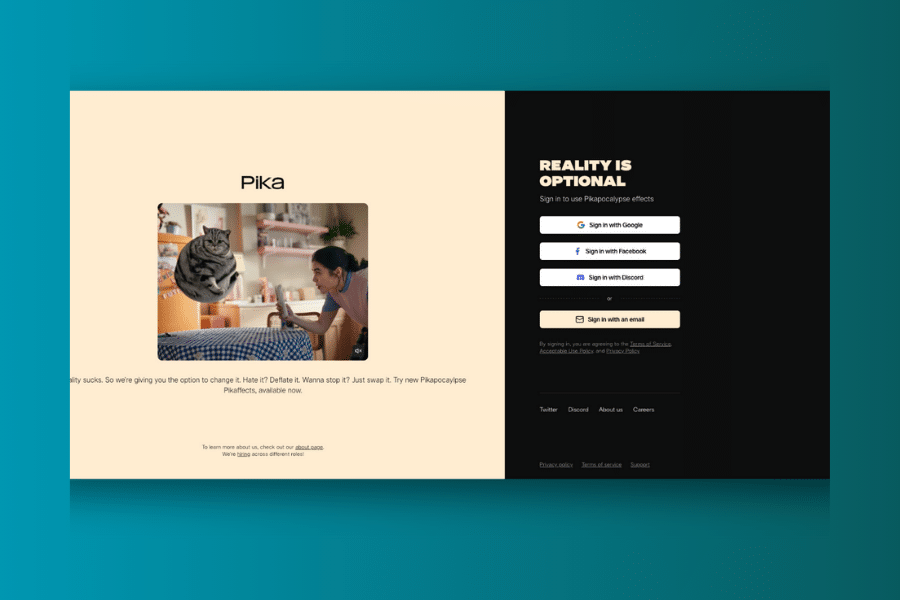
While the credit-based pricing system may be limiting for heavy users and some generated content requires refinement, Pika AI offers exceptional value for content creators, marketers, and educators who need to produce engaging video content efficiently. The platform’s focus on creative effects and seamless animation makes it particularly valuable for social media and digital marketing environments.
Ever found yourself struggling to create engaging video content, spending hours learning complex editing software, or lacking the budget for professional video production? Traditional video creation processes can be overwhelming, requiring extensive technical skills, expensive equipment, and significant time investment. What if there was a smarter, more accessible way to create professional-quality videos?
Pika AI promises to be your creative video companion if you’re tired of the time-consuming and technically demanding video production process. This powerful AI platform claims to generate high-quality, engaging video content while maintaining creative control and your personal vision.
Let’s explore what this AI video generator can do for your content creation workflow.
What is Pika AI?
Pika AI is like having a professional video production studio that never gets tired and always understands your creative vision. It uses advanced artificial intelligence to understand your video creation needs and help you produce content that meets professional standards. Think of it as a personal video creation assistant that specializes in transforming your ideas into dynamic, engaging video content.
The platform specializes in AI-driven video generation, offering tools that would typically require hours of manual editing and production work. From text descriptions to animated sequences, Pika AI leverages cutting-edge machine learning models to deliver results that maintain visual quality while adapting to your creative style.
What sets Pika AI apart is its focus on accessibility and creative effects. You don’t need to be a seasoned video editor or have extensive experience with production software. The platform is designed to guide you through the entire video creation process while ensuring your content stands out with unique visual effects and animations.
Who Created Pika AI?
Pika AI was founded by a team of Stanford University students led by Liam Hayes, who envisioned a future where video creation could be democratized through artificial intelligence. They wanted to create an AI video generator that could truly help people bring their ideas to life quickly and affordably while maintaining professional quality.
With a mission to help everyone, from content creators struggling with their next viral video to businesses trying to create engaging marketing materials, Pika AI was born from a deep understanding of the challenges faced in modern video production. The company is committed to making quality video creation accessible and enjoyable for all, with features like advanced AI effects and seamless animation tools.
The platform continues to evolve with regular updates and feature enhancements, including the recent launch of Pika 2.2 with improved capabilities, reflecting the team’s commitment to staying at the forefront of AI video technology while maintaining ease of use.
Top Benefits of Pika AI
Effortless Video Creation: Pika AI helps you create videos quickly and easily, from initial concept to final output while maintaining professional quality and engaging visual elements.
Multiple Input Options: Transform text prompts, static images, or existing videos into dynamic content, providing flexibility for various creative workflows and content types.
Time-Saving AI Automation: Let Pika AI handle complex animation and editing tasks automatically, with AI-powered generation that maintains visual consistency and creative flow.
Creative Effects Library: Access unique Pikaffects like “Melt,” “Explode,” “Crush,” and “Cake-ify” that add personality and visual interest to your videos with just one click.
Professional Animation Quality: Whether it’s a marketing video or social media content, Pika AI’s artificial intelligence can help you achieve cinema-quality results without technical expertise.
Seamless Integration: The platform works across web browsers and mobile devices, ensuring you can create content wherever inspiration strikes.
No Technical Barriers: Overcome the learning curve of traditional video editing software with Pika AI’s intuitive interface that makes professional video creation accessible to everyone.
Best Features
Pika AI isn’t just another generic video tool. It’s a comprehensive creative suite designed to handle every aspect of the video creation process with intelligence and artistic flair. Here are the standout features that make Pika AI exceptional:
1. Text-to-Video Generation
The core feature transforms descriptive text prompts into dynamic video clips. Simply describe your scene like “a peaceful sunset over mountains with birds flying” and Pika AI generates a complete animated sequence. This feature excels at understanding context, mood, and visual elements, ensuring your written vision translates into compelling visual content.
This capability is particularly valuable for marketers and content creators who need to quickly prototype video ideas or create content from written scripts and concepts.
2. Image-to-Video Animation
Upload static images, artwork, or photographs and watch them come to life with intelligent animation. Pika AI’s image animation technology adds realistic movement, depth, and dynamic elements while preserving the original visual style and quality.
The feature works exceptionally well with illustrations, product photos, and artistic content, making it perfect for social media content and marketing materials.
3. Advanced Pikaffects
Creative effects library includes unique transformations like melting, exploding, inflating, and crushing objects within videos. These effects add personality and visual interest that can make content go viral on social platforms.
Pikaffects are designed to be one-click solutions that maintain video quality while adding dramatic visual elements that capture viewer attention.
4. Pikaframes Keyframe System
The latest innovation allows for precise control over video timing and transitions. Create smooth animations up to 10 seconds in 1080p resolution with keyframe transitions that provide cinematic quality and professional polish.
This feature bridges the gap between simple AI generation and professional animation control, giving creators more precision over their final output.
5. PikaSwaps Object Replacement
Modify specific objects or areas within generated videos using text prompts and brush-based selection. Replace backgrounds, swap characters, or change elements while maintaining realistic lighting and motion consistency.
This advanced editing capability provides post-generation flexibility that’s typically only available in expensive professional editing software.
Pricing
| Plan | Price | Credits | Key Features | Best For |
|---|---|---|---|---|
| Basic (Free) | $0 | 80 monthly credits | Access to Pika 1.5, Turbo features, watermarked videos | Testing, Personal use |
| Standard | $10/month | 700 monthly credits | All Pika models, faster generation, credit purchases | Content creators, Small businesses |
| Pro | $35/month | 2,300 monthly credits | Commercial use, watermark-free, credit rollovers | Professional creators, Agencies |
| Fancy | $95/month | 6,000 monthly credits | Fastest generation, all features, unlimited commercial use | Studios, Heavy users |
Note: Annual subscriptions offer approximately 20% discount across all paid plans.
Pros and Cons
Pros
- Creative Focus: Specifically designed for artistic and engaging video content with unique effects and animations
- Multiple Input Types: Supports text, image, and video inputs for maximum creative flexibility
- Quality Output: Generates high-resolution, professional-looking videos with smooth animations
- User-Friendly: Intuitive interface accessible to users without video editing experience
- Regular Updates: Continuous feature additions and model improvements
- Free Tier Available: Generous free plan allows extensive testing before commitment
- Mobile Access: Available through web browsers and iOS app for on-the-go creation
- Community Support: Active Discord community and comprehensive FAQ resources
Cons
- Credit System Limitations: Monthly credit limits may restrict heavy users
- Learning Curve: Advanced features require time to master effectively
- Quality Inconsistency: Generated content sometimes requires multiple attempts for optimal results
- Limited Video Length: Maximum generation length constraints for longer content needs
- Internet Dependency: Requires stable internet connection for all functions
- Commercial Restrictions: Commercial use requires paid plans starting at Pro level
Alternatives to Pika AI
Runway ML: A comprehensive creative suite offering advanced generative AI for video, enabling transformation of text or images into professional-quality visuals with more editing control.
OpenAI Sora: Highly anticipated model that generates realistic and imaginative video scenes from simple text instructions, known for cinematic quality output.
Luma AI: Focuses on transforming still images into dynamic, high-quality videos using AI-powered animation with emphasis on realistic 3D environments.
Kling AI: An AI creative studio supporting text-to-video and image-to-video creation with high-resolution output and integrated avatar features.
InVideo: A versatile online video editor that includes AI video generation alongside extensive template libraries and traditional editing tools.
Canva: Primarily a graphic design platform with robust video editing capabilities and AI-powered features for quick content creation.
Personal Experience with Pika AI
Our team tested Pika AI extensively across various creative projects, from social media content to marketing videos. The platform proved invaluable for rapid prototyping and creative exploration while maintaining professional output quality.
How Pika AI Helped:
Social Media Content: We used Pika AI’s text-to-video and Pikaffects features to create engaging social media clips. The unique effects library helped our content stand out, and the quick generation times allowed for rapid iteration and testing of different creative approaches.
Marketing Material Creation: The image-to-video feature allowed us to animate product photos and illustrations, creating dynamic marketing content that significantly improved engagement rates compared to static imagery.
Educational Content: Pika AI helped us transform educational concepts into visual explanations, making complex topics more accessible and engaging for our audience.
The key benefits that helped us achieve our creative goals included remarkable speed in content creation, consistently engaging visual output, unique creative effects not available elsewhere, and the ability to maintain brand consistency while experimenting with different visual styles.
Final Thoughts
Pika AI represents a significant advancement in AI-powered video generation technology. It’s an excellent tool for anyone who regularly creates visual content, from social media managers to marketing professionals to creative artists. The combination of intelligent automation, unique creative effects, and accessible interface makes it a valuable addition to any content creation workflow.
For creators, marketers, and businesses who need to produce high-quality video content efficiently, Pika AI offers tremendous value. The platform’s focus on creative effects while providing multiple input options makes it a compelling choice for anyone looking to enhance their visual storytelling capabilities.
While the credit-based pricing system may be limiting for some users and certain features require experimentation to master, the creative possibilities and time savings make Pika AI worthwhile for anyone engaged in regular video content creation. The platform’s continuous evolution and feature additions suggest it will only become more powerful and useful over time.
If you’re looking to streamline your video creation process, add unique visual effects to your content, and produce higher quality videos more efficiently, Pika AI is definitely worth exploring. The free Basic plan offers a risk-free way to experience the platform’s capabilities and determine if it fits your specific creative needs.
Frequently Asked Questions
Is Pika AI suitable for beginners?
Yes, Pika AI is specifically designed for users of all skill levels. It features an intuitive interface with simple text prompts and drag-and-drop functionality, making it accessible to complete beginners while offering advanced features for experienced creators.
What types of video content can Pika AI create?
Pika AI is versatile and can help create various video content types, including social media clips, marketing videos, educational content, animated sequences, product demonstrations, and creative artistic projects. It adapts to different styles and requirements across industries.
How much does Pika AI cost?
Pika AI offers a free Basic plan with 80 monthly credits and paid plans starting at $10/month for the Standard plan. The Pro plan ($35/month) includes commercial use rights, while the Fancy plan ($95/month) offers maximum credits and fastest generation speeds.
Can I use Pika AI content for commercial purposes?
Commercial use rights are available with Pro ($35/month) and Fancy ($95/month) plans. Basic and Standard plans are limited to personal use only. Commercial plans also include watermark-free downloads and additional usage rights.
How long can videos be with Pika AI?
Pika AI currently generates short-form videos, with the latest Pika 2.2 model supporting up to 10-second clips in 1080p resolution. The platform focuses on creating high-quality short content perfect for social media and quick marketing messages.
